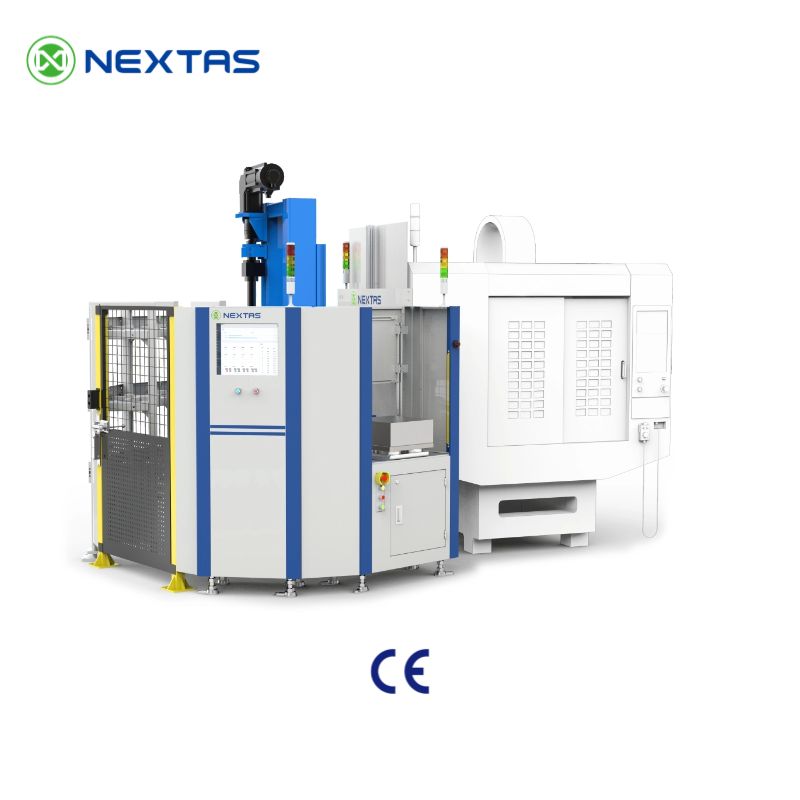
Quick project handoff
Share machine mix, pallet flow and lights-out hour targets
Start with these three project boundaries. The complete project checklist brings the drawings, production targets, and integration inputs together for review.
Machine group and interfaces
Define which machines will share the loading unit and which interfaces it must connect.
Pallet and storage logic
Identify the fixture family and how much work the cell must hold between operator visits.
Digital scope and staffing
Decide what operators will still handle and which production systems need to exchange data.
Quick fit guide
Which automation route fits your shop first?
Compare the practical starting points below to decide whether phase one should be a compact loading cell, a dense pallet buffer, a wider transfer reach or a broader FMS discussion.
Choose vertical magazine automation when
You want a compact first step, one or two machines, offline pallet preparation and a cleaner path away from manual loading.
Choose rotary storage when
You need more pallet positions in limited floor space and want dense buffering for mixed jobs without a large linear layout.
Choose gantry automation when
You need a longer transfer reach, overhead access or a cleaner way to coordinate loading across multiple machines.
Start FMS planning when
Machine count, scheduling pressure, pallet tracking and MES / WMS coordination are already the bottleneck instead of just loading speed.
What to send before we recommend an automation layout
Use the complete project checklist to prepare one brief for the selected route.
Where the Automation Series Fits Best
These project orientations match well with the applications shown in the brochure.
Loading units for one to two machines
Ideal for shops that want a concrete first step towards unmanned loading without rebuilding the entire line.
Mixed production cells for one to three machines
Useful when multiple machines need to share standard pallet / fixture logic while separating part families.
Host-computer-driven flexible lines
Suited for factories needing centralised planning, full traceability and coordinated data between storage, machining and inspection.
Mass-customised production
A strong direction for shops with many variants, small batches and limited floor space.
Automation Unit Range
A practical overview of the brochure concepts most relevant for planning projects in CNC machining cells.
NTS-V4 Automated Unit
Compact concept for high-mix / low-volume production where one machine needs to keep cutting while pallets are prepared and transferred in a controlled loop.
- 4 pallet storage positions
- Handling capacity up to 650 kg
- Handling speed 300 mm/s
- Datum-base repeatability <0.005 mm
NTS-V12 Automation Unit
A larger pallet-based cell for shops that need space-optimised storage, model-specific handling capacity and integrated scheduling for more part families.
- 12 pallet storage positions
- Handling capacity up to 500 kg
- Handling speed 800 mm/s
- Datum-base repeatability <0.005 mm
NTS-VS2 Automation Unit
Two-machine collaboration concept with six-axis robot, intelligent control and compact storage for mass-customised production.
- 16 pallet storage positions
- Six-axis industrial robot handling
- Gripper payload up to 120 kg
- Datum-base repeatability <0.005 mm
Catalogue hardware reference
These brochure parameters help buyers understand the practical hardware envelope before discussing robot brand, software or line-level coordination.
| Reference format | Catalogue hardware notes | What buyers should understand |
|---|---|---|
| Vertical magazine automation unit | Confirm robot payload and reach from the selected arm, gripper, part and fixture; the NTS-VS2 catalogue example lists 120 kg gripping payload, not a universal robot rating. | Strong first-cell option when the project starts with compact conveyors and one-to-two machine coordination. |
| Vertical magazine shelf logic | Specify the required usable pallet positions, pallet envelope, identification and door interlocks; confirm the final storage layout. | Useful when collision prevention, part traceability and compact buffering matter from the start. |
| Rotary storage unit | The NTS-V12 catalogue example lists 12 pallet storage positions. Other capacities and their guarding or sensing require an approved model configuration. | Best choice when dense storage is the real bottleneck rather than just robot movement. |
| Gantry automation unit | Confirm travel, loaded handling speed, machine interfaces, safety controls and recovery for the selected gantry; continuous operating hours require a validated cell. | Indicates a layout built for longer transfer reaches, stable handling and easier line extension. |
Deployment path by project stage
For the chosen project stage, agree on the shared interfaces and operating rules before adding machines or storage.
Single-cell quick win
Standardise first: zero-point interface, pallet dimensions and target lights-out hours.
One-to-two loading unit
Standardise first: fixture orientation, gripper logic and offline loading sequence.
Mixed one-to-three cell
Standardise first: pallet family rules, scheduling priority and exception handling.
Line-level FMS coordination
Standardise first: data ownership, traceability checkpoints and material flow rules.
From Standalone Cell to FMS-Ready Coordination
The brochure positions the automation series as far more than a loader. It combines presentation dashboards, intelligent scheduling, equipment collaboration and industrial communication planning so that cell data can feed into MES, reporting and traceability flows.
Four planning layers
- Presentation layer: digital-twin dashboard, mobile dashboard and report centre.
- Decision layer: APS scheduling, load balancing, path optimisation and exception handling.
- Execution layer: robot control, AGV dispatch, machining module and storage module.
- Industrial layer: OPC UA, Profinet, EtherCAT and Modbus for integration planning.
Features often requested in projects
Integrated scheduling: dynamic scheduling, real-time optimisation and adaptive adjustment for job-mix changes.
Traceability: part, fixture and tool status can be linked to storage positions and production orders.
Lights-out orientation: pallet buffering, confirmable load states and coordinated material flow reduce manual intervention.
Scalable architecture: start from one machine or cell, then expand towards host computer control, central storage or AGV logic.
Automation building blocks
What's inside a working automation cell
Six recurring building blocks across our deployments — pallet storage, robot loaders, conveyors and machine-cell pairings. Pick the ones that fit your floor and skip the ones that don't.
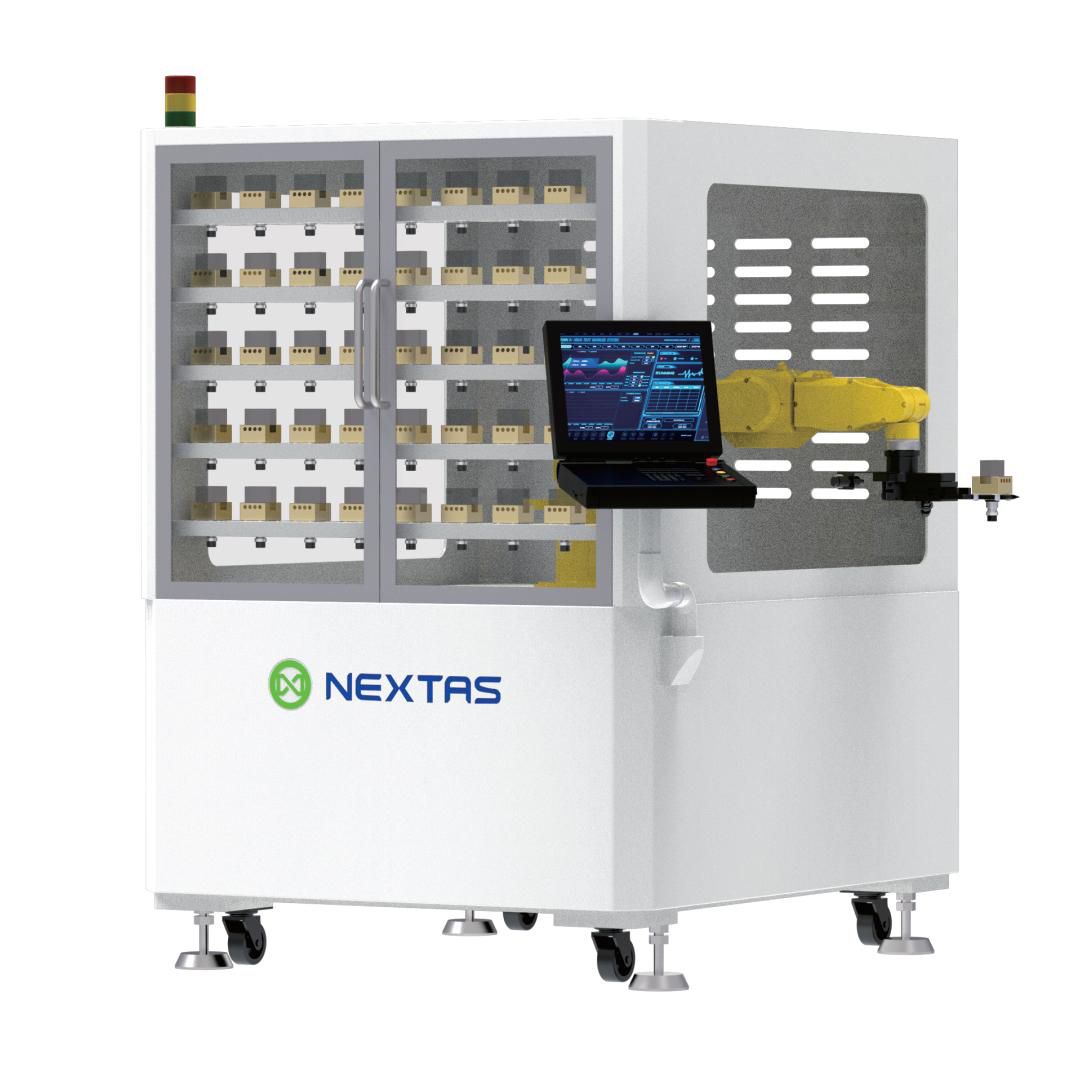
Pallet storage tower
Vertical rack with HMI for stored pallets — the unattended buffer that keeps spindles running between operator interventions.
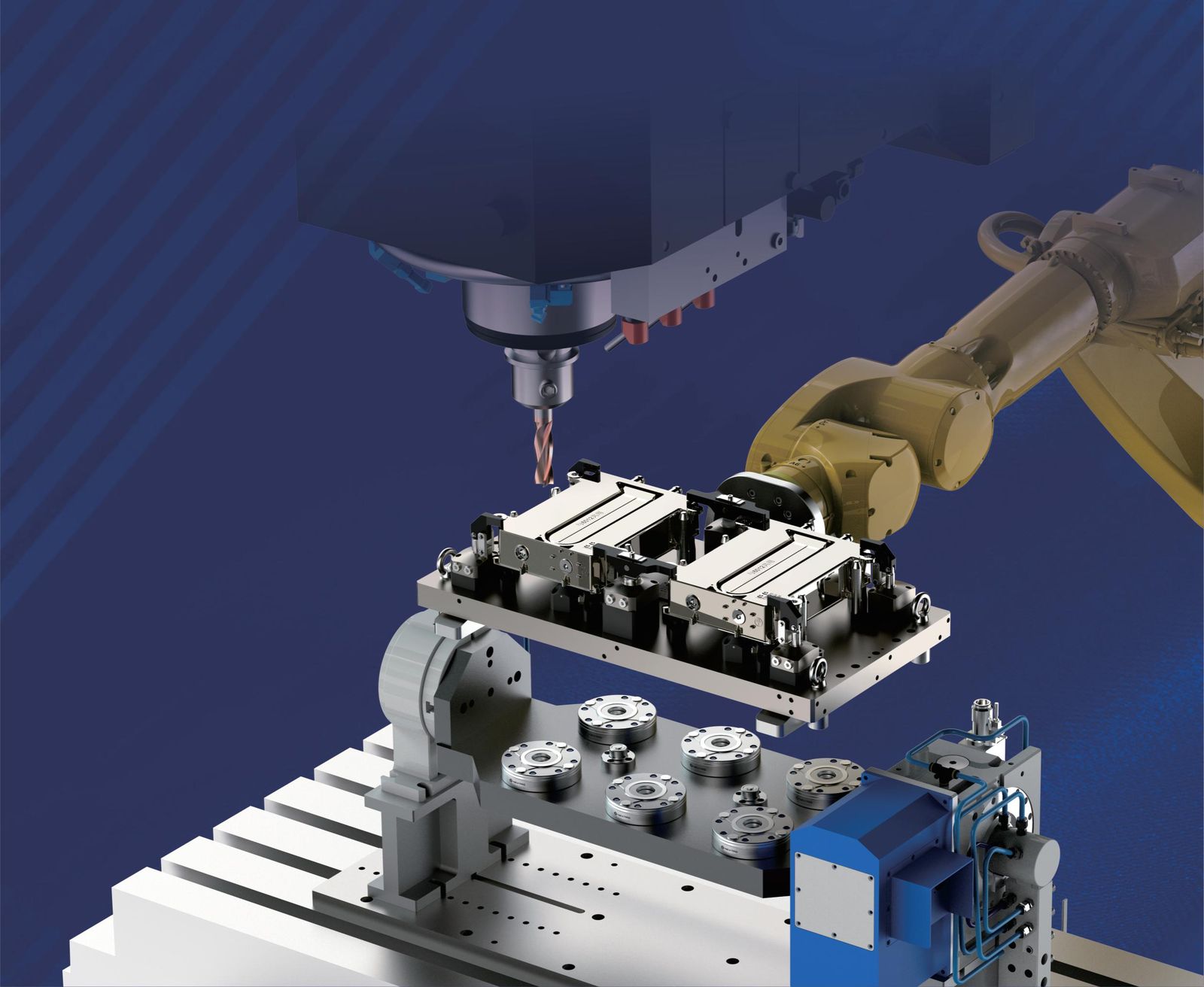
Robot loading station
6-axis arm with a tombstone or pallet pickup. Fast, repeatable, and works with the same datum stack you use offline.
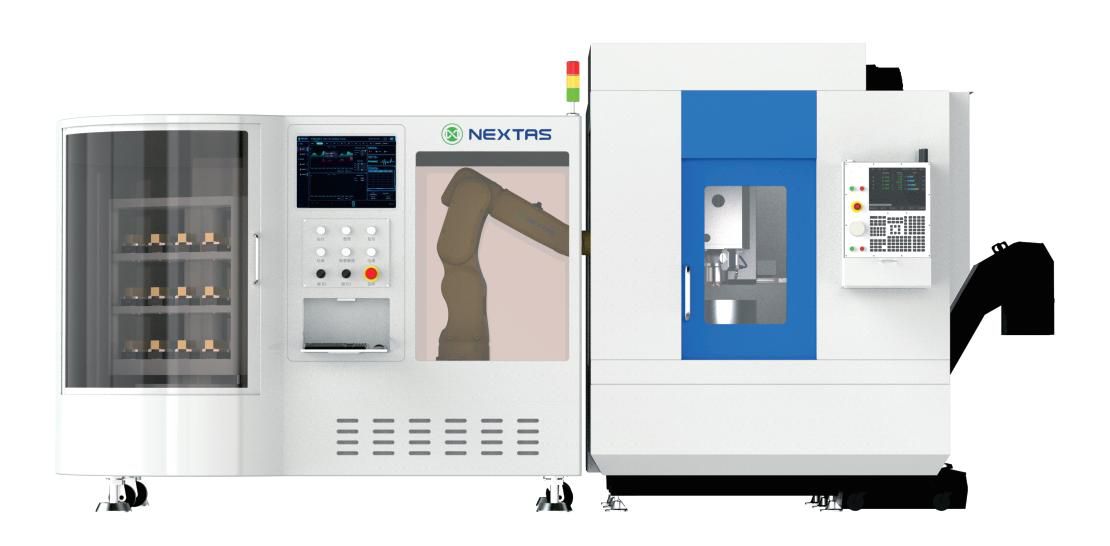
Robot + CNC integration
Plan the robot, control cabinet and CNC as one cell. Confirm supply scope, wiring, interface tests, safeguarding and acceptance before delivery.
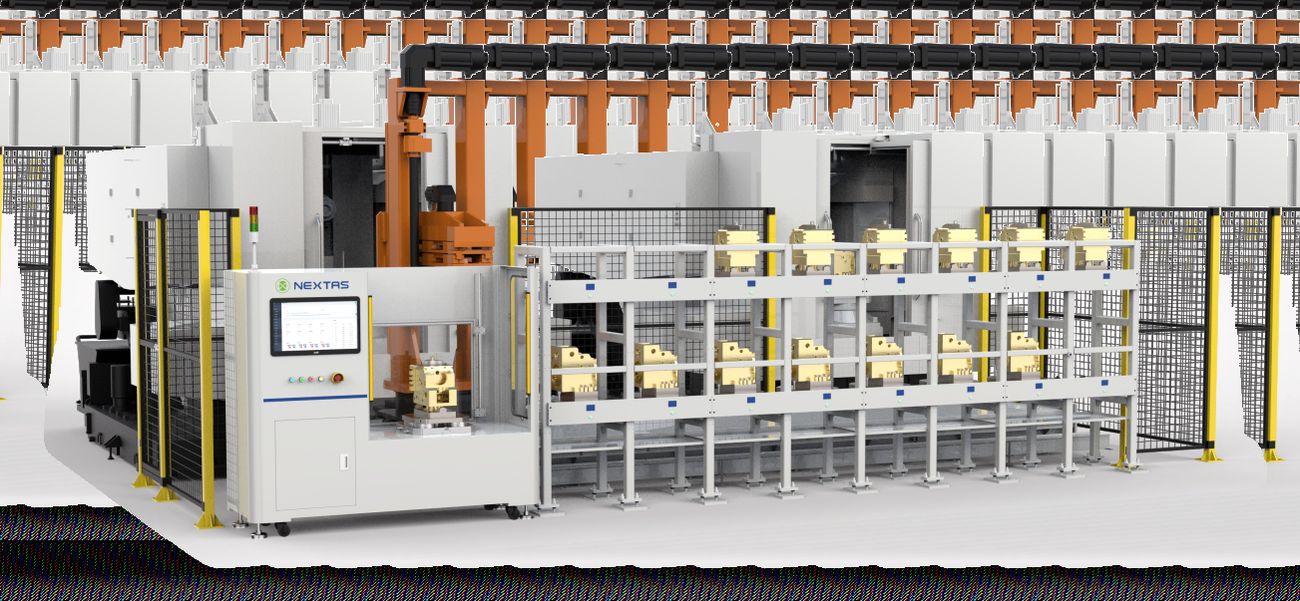
Multi-station conveyor
Pallet conveyor with several work positions. Good fit when batch sizes are small but variety is high.
Pallet & robot integration
How pallets and robots show up on the floor
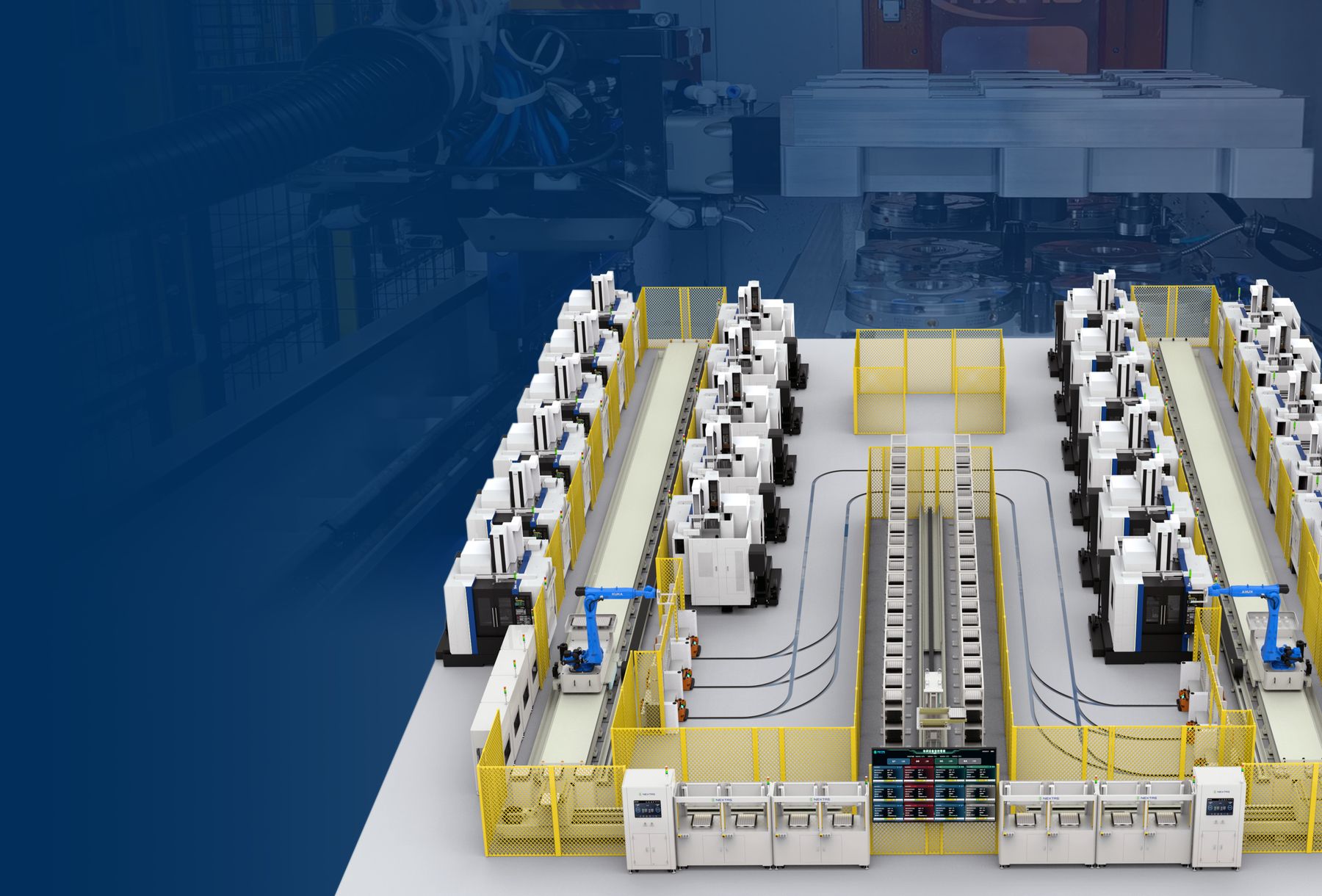
Two views of how pallets and the robot tie into the rest of the floor — overhead pallet shuttle for high-volume lines, and a single-machine + cell pairing for staged rollouts.
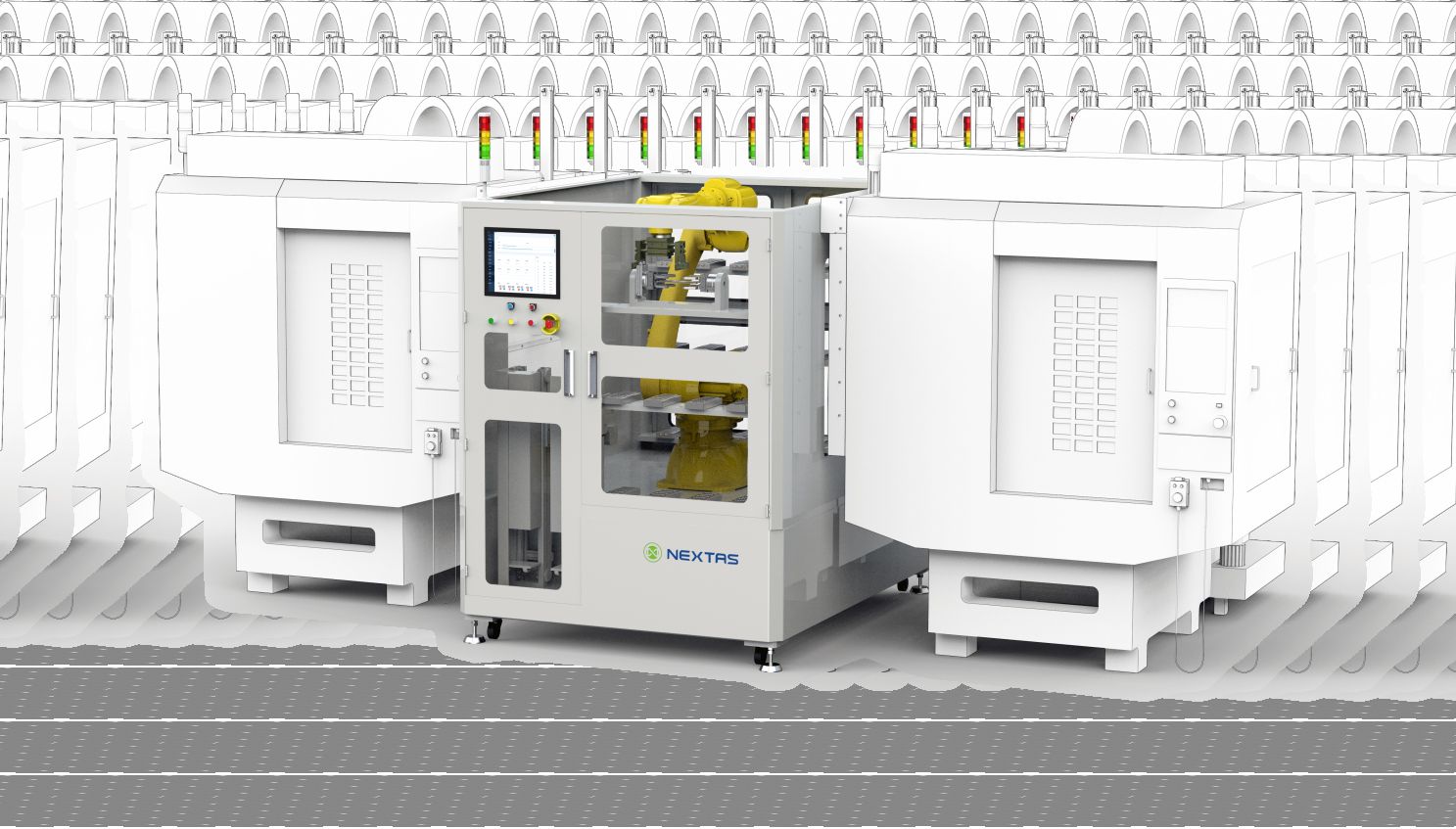
Overhead pallet shuttle
An overhead shuttle transfers pallets between stations. Confirm support footprint, headroom, maintenance access and the guarded travel envelope.
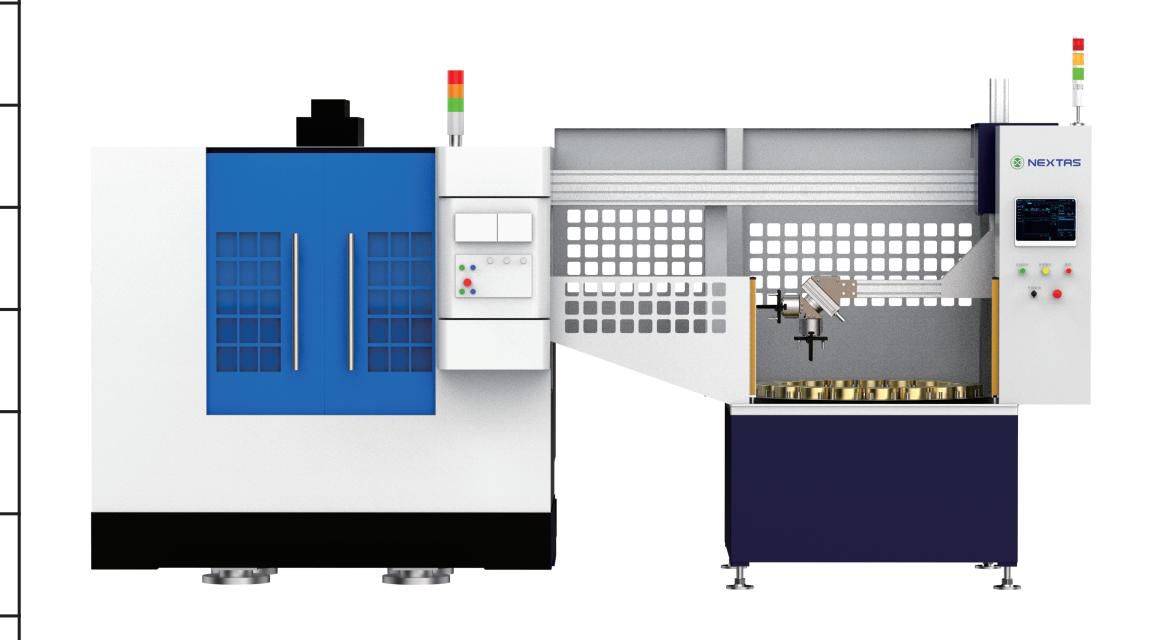
Machine + cell pairing
Single CNC paired with an adjacent automation cell. Lowest-risk way to phase automation into an existing floor.
What to prepare before discussing an automation project
- Machine group: models, quantity, spindle type, control brand and family, door opening, load limits, current loading method, and whether one unit will serve one, two, or three machines.
- Parts and fixtures: part dimension range, unit weight, pallet dimensions, fixture family, changeover frequency, and whether fixtures are already standardised.
- Production targets: shift pattern, lights-out hours, operator reduction target, and required takt stability.
- Digital scope: standalone operation or phase-one connections to MES, ERP, APS, WMS, RFID, tool management, traceability, and dashboards.
- Cell layout: available floor space, safety perimeter, buffer quantity, vertical magazine / rotary / gantry-truss preference, and any robot or AGV connection.
- Investment criteria: the ROI target and priority among labour reduction, uptime, capacity, and traceability.
- Rollout: preferred first phase—compact cell, pallet flow, robotic handling, or a full FMS roadmap.
- Existing reference: the datum or zero-point standard already used in the shop.
Frequently Asked Questions
Is the Automation Series only for large factories ?
No. The brochure logic starts with compact units and scales towards broader FMS concepts. Small and medium-sized shops can therefore progress step by step based on their budget and part mix.
Can the system connect to MES, ERP or warehouse software?
Connections to MES, ERP or warehouse software depend on the selected controllers, protocols, data ownership and approved integration scope. Define the data map, command permissions, fault behavior and acceptance tests before ordering; a dashboard does not by itself confirm a complete integration.
What is the best first step if we still work mostly manually today?
Most manufacturers start by standardising pallets, fixtures and loading flow around one or two machines. This creates a safer path towards broader automation later.
What is the typical lead time from confirmed PO to shipment?
Lead time depends on the selected unit range, cell layout, machine and controller interfaces, integration scope, quantity, and acceptance plan. Engineering confirms the schedule in the quotation after reviewing those inputs; the website does not guarantee a fixed lead time.
What engineering and acceptance documentation is defined for an Automation Series project?
The agreed package may include approved layout or assembly drawings, interface and I/O records, inspection results, and project acceptance documents. The quotation or order confirmation defines the exact records; the website does not promise the same document package with every system.