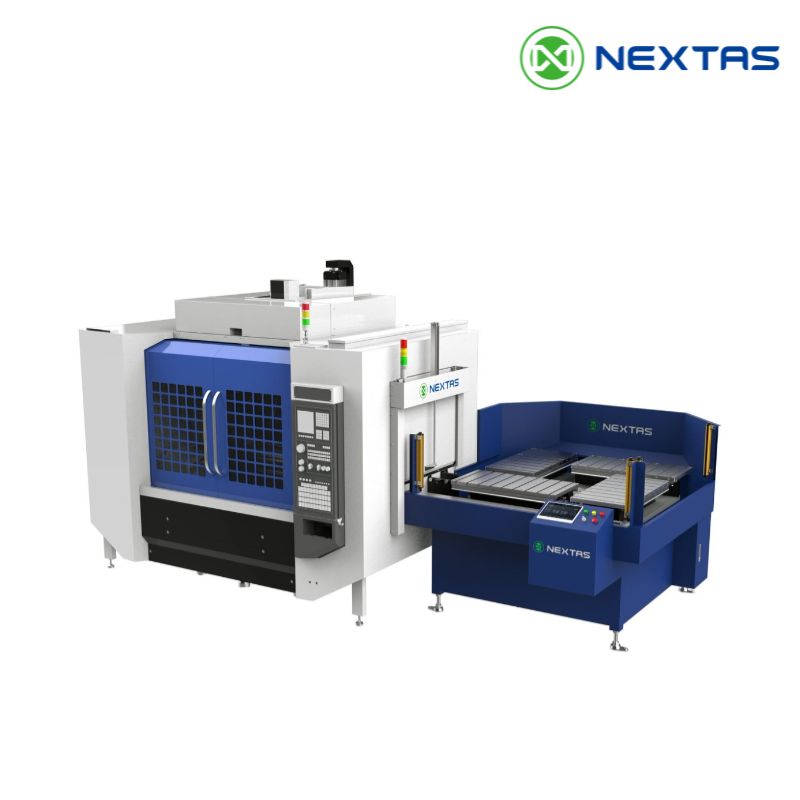
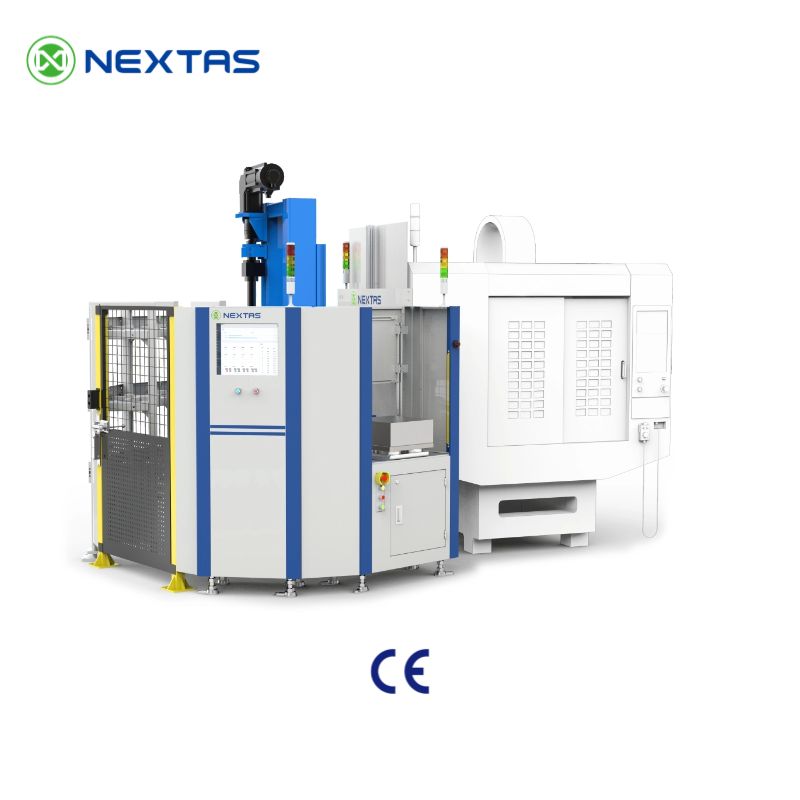
Where should an AGV leave a pallet so a robot can load the CNC? Start with the handoff point: a place where the load has known support, direction and access. Then check how the robot will lift it and how the machine will receive it. Choosing the vehicle first can leave you with a pallet that reaches the cell but cannot enter the machine.
An AGV, or automated guided vehicle, moves loads along a planned route. Here, a pallet is the movable base that carries a fixture and its workpiece. The fixture holds the part; the pallet lets that setup travel between stations.
Use the NEXTAS demonstration below to follow those moves. For your own shop, the first useful drawing is a simple route sketch. Mark where the vehicle stops, where the robot picks up, where the CNC receives the pallet and where the load goes next. That sketch lets the equipment suppliers discuss the same physical job.
Watch the route from delivery to return
The clip shows AGV delivery and docking, robot pick-and-place, machine loading, air-jet cleaning and return handling. Docking means bringing the vehicle into its planned transfer position. The edited views show how the equipment works together; they do not establish the order or timing of every control step.
NEXTAS application demonstration
AGV + Robot CNC Automation with Zero-Point Clamping
Follow the pallet between the vehicle, robot, machine and return station. Use these views to discuss your layout and handoff points.
Watch on YouTubeA NEXTAS workflow demonstration with AGV delivery, robot transfer, machine loading, cleaning and return handling.
How to read the video's claims: its captions include “Accuracy <0.003 mm,” “Zero-Wait Machining” and “Fully Unmanned Process.” This article does not treat those captions as measured results. The exact receiver model, test conditions, full cycle record and accepted operating limits are not supplied with the clip. Use it as a workflow demonstration, not as a performance specification.
One pallet, three different jobs
Vehicle travel, robot transfer and machining location need different checks. A vehicle can arrive at the right station while the pallet sits outside the robot's planned pick-up position. A robot can finish its move while a chip keeps the pallet from seating on the machine. Neither event proves that the next step is ready.
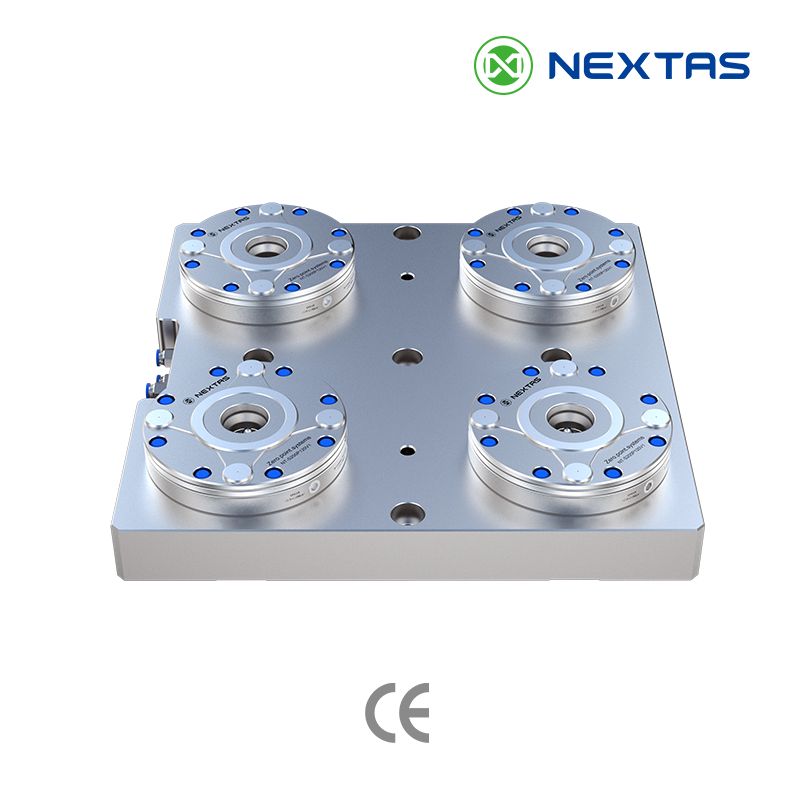
The gripper is the device on the robot that holds the load. A zero-point receiver is the fixed unit that accepts the matching pallet connection. The locating surfaces establish the pallet's reference position, often called its datum. The selected connection must also hold the pallet under the loads for which it is approved.
| Equipment | Its job in this route | Check before the next move |
|---|---|---|
| AGV and carrier | Bring the supported load to the transfer point. | Correct station, pallet direction and allowed stopping position. |
| Robot and gripper | Lift and move the pallet between support points. | Known grip, full carried load and clearance along the path. |
| Machine-side zero-point system | Locate and clamp the removable pallet at its machining reference. | Correct mating parts, clean contact and the required seat and lock checks. |
Do not use one accuracy figure for all three jobs. Ask how much position error each handoff can accept and how the design handles it. The zero-point repeatability guide explains why a receiver test does not establish cross-station or finished-part accuracy.
Where should the AGV hand over the pallet?
Mark the pickup location before choosing the robot reach. Include the height of the loaded carrier, the direction from which the gripper approaches and the space the vehicle needs to leave. A point drawn inside a robot's reach circle can still be blocked by a guard, rack or machine door.
The robot may pick directly from the vehicle's carrier. That removes a separate storage step, but the vehicle must remain available for the agreed handoff. Or the vehicle may leave the load at a fixed transfer station. That station can separate vehicle travel from robot work, but it adds floor space, supports and another transfer to check. These are planning options, not a claim that the video proves both designs.
For direct pickup, review how the carrier is held during transfer and what happens if the AGV stops outside the allowed position. For a fixed station, review how the pallet is supported and located after the vehicle leaves. In either case, the supplier must define what tells the next device that the load is ready.
Keep space for people as well as machines. The cell integrator must assess vehicle traffic, access, guarding and recovery for the full layout. Normal arrival or clamp signals do not, on their own, prove that robot movement is safe.
What travels with the pallet?

Draw a line around the load that each device actually carries. The AGV may carry a rack and several pallets. The robot may lift one pallet, its fixture and its part. The CNC table receives a different total again because some support hardware stays on the machine.
For robot selection, include the gripper and any carried hoses or tools as well as the pallet assembly. Record the centre of gravity: the point around which the load balances. A long fixture held from one side can place a larger turning load on the robot wrist than a compact fixture of the same weight. The robot supplier needs the planned motion and load position, not weight alone.
Keep the gripping surfaces separate from the precision locating surfaces unless the approved design combines them. Check that the robot fingers can reach their grip without hitting pull studs, hoses or the workpiece. Pull studs are the mating parts held by the zero-point receivers; their shape and position must match the selected interface.
If the workpiece comes off its fixture during the route, a new part-loading check is needed. The robot-loaded workholding guide covers that choice in more detail. Decide whether you are moving a complete setup or handling the part again before drawing the transfer station.
The machine needs a clean, known seating position

The machine-side drawing should show the whole stack, from the table to the top of the part. Check the door opening and the approach path with the gripper still holding the pallet. A setup that fits after loading may not fit while the robot is placing it.
The video also shows air-jet cleaning. Ask which contact faces are cleaned, where chips and coolant can collect, and how the cell detects a failed seat. A visible burst of air does not prove that every contact is clear. The cleaning method and its checks must suit the real chips, coolant and pallet surfaces.
Write the transfer sequence with the integrator. It must explain when support is established, when clamping is confirmed, when the gripper releases and when the robot leaves. The order depends on the actual handoff design. Do not copy a generic sequence into a machine program.
For the detailed signal list and fault responses, use the zero-point clamp I/O checklist. I/O means the input and output signals shared by the devices. The layout review comes first; the signal list must describe the physical arrangement being built.
Draw the return route before you count storage spaces

A ready pallet is useful only if the machine can release the one it has finished. Mark separate places for loads waiting to run, loads leaving the machine and loads held for inspection. These can be physical spaces or clearly managed uses of shared spaces. The team must agree which arrangement the controls will enforce.
Planning example: one transfer position serves both delivery and return. If an incoming pallet occupies it when machining ends, the outgoing pallet has nowhere to go. The design must prevent that conflict, provide another holding position or accept the resulting wait. Adding a faster robot does not resolve the blocked destination.
A buffer is a place where a pallet waits between steps. Choose buffer capacity from the job mix, vehicle travel, loading and inspection times, and the recovery plan. Measure complete cycles, including waits and return travel. The length of an edited video cannot supply those values.
Each pallet also needs a known identity and job state so it reaches the right machine and returns to the right place. Agree who maintains that record when a pallet is removed for inspection or a job changes. If several machines share the route, the NEXTAS software and data guide covers the separate software and data scope.
Put the missing dimensions on one sheet
Use this sheet beside your route sketch. It is an early layout brief, not a completed equipment specification. Write “unknown” for missing data and name the person who will supply it before the design is fixed.
| On the sketch or drawing | Information to add |
|---|---|
| Moving load | Outline and height of each carried assembly; weight and centre of gravity for its loaded condition. |
| Vehicle handoff | Stop position, carrier height, pallet direction, support method and allowed position error. |
| Robot pickup | Grip faces, finger space, approach direction and the full tool-and-load data for the robot supplier. |
| Machine connection | Table drawing, receiver and pull-stud drawings, support faces and total stack height. |
| Access and services | Door and guard openings, path clearances, hose routing and cleaning access. |
| Return and held loads | Destination for finished pallets, inspection holds and the response when a space is occupied. |
| Responsibility | Named owners for vehicle travel, robot transfer, workholding, machine control and complete-cell acceptance. |
Before placing the order, ask those owners to walk through the same route using the worst planned load and a blocked return position. Resolve the missing dimensions and ownership gaps, then agree the tests on the installed equipment. A clear handoff drawing is the basis for that review; a list of product names is not enough.
Questions buyers ask about the handoff
Does the AGV need to match the zero-point receiver's accuracy?
Not as one shared specification. The AGV must reach the transfer position allowed by the handoff design. The robot and receiving interface then have their own limits. Confirm how position error is handled at each step and test the complete route.
Is a fixed transfer station always needed?
No. Direct pickup from a vehicle carrier may suit the project. A fixed station can let the vehicle leave before the robot is ready, but it adds space and another transfer. Compare both layouts using the load, access, timing and support requirements.
Can the demonstration be used as a cycle-time estimate?
No. The clip is edited and does not provide a full timed production record. Measure delivery, waiting, transfer, cleaning, machining and return for the proposed job before estimating output or storage needs.
Can an existing pallet be kept?
Possibly. Check its structure, grip surfaces, locating connection and full moving load against the proposed route. An adapter changes height, weight and access, so a matching hole pattern alone does not approve reuse.
For an early layout review
Send your AGV-to-CNC handoff sketch
Start with the proposed route, pallet drawing, loaded weight and machine model. NEXTAS can review the workholding connections and identify which missing details need input from your robot or vehicle supplier.
Discuss the pallet handoff