
The short answer: buy a defined interface, not a family name
A useful zero-point RFQ names the exact hardware on both sides of the joint. It also shows how that joint mounts to the machine, what sits above it, what loads reach it, and how the shop will accept it. If any of those items are open, keep them open in the quote. Do not hide an unknown behind “standard” or “compatible.”
Use five approval gates. First, select the named receiver or plate and its revision. Second, match the supplier-approved mating plate or pull stud. Third, review the full stack and load path. Fourth, define air, signals and safe machine response when they apply. Fifth, agree on documents and tests before the purchase order.
A release-ready RFQ includes:
- Exact model numbers, drawing revisions and included items.
- Machine table or rotary-face drawing and the full stack.
- Mating part numbers, stud form, datums, fasteners and support.
- Total mass, center of gravity, cutting loads and motion loads.
- Air, valve, signal, fault and recovery needs if powered.
- Incoming checks, reseat test, inspection method and pass limits.
If you have not yet decided whether the upper tool should be a dovetail fixture, self-centering vise or another fixture, return to the workholding architecture guide. This page assumes the zero-point layer is already justified.
Route the application to the right product family
“Zero-point system” covers several forms. A receiver module may be built into a base or machine table. A manual plate may use a hand tool to release its mating fixture. A pneumatic plate may use air for a defined action. A matched datum system may pair a base and carrier made for each other. These forms do not share one universal interface.
Start with the production route. State whether an operator or robot handles the upper tooling. State where the fixture is prepared, how often it moves, and whether it must pass between approved machines. Add the machine type, table or rotary interface, available height and service access. These facts narrow the family before model selection begins.
Use current product pages only as a route map. The MFG zero-point system page lists named receiver modules. The manual zero-point plate page describes the manual family. The pneumatic zero-point plate page covers a different actuation route. The BDS positioning datum page shows a matched base and carrier concept. Ask which exact drawing applies to the quote.
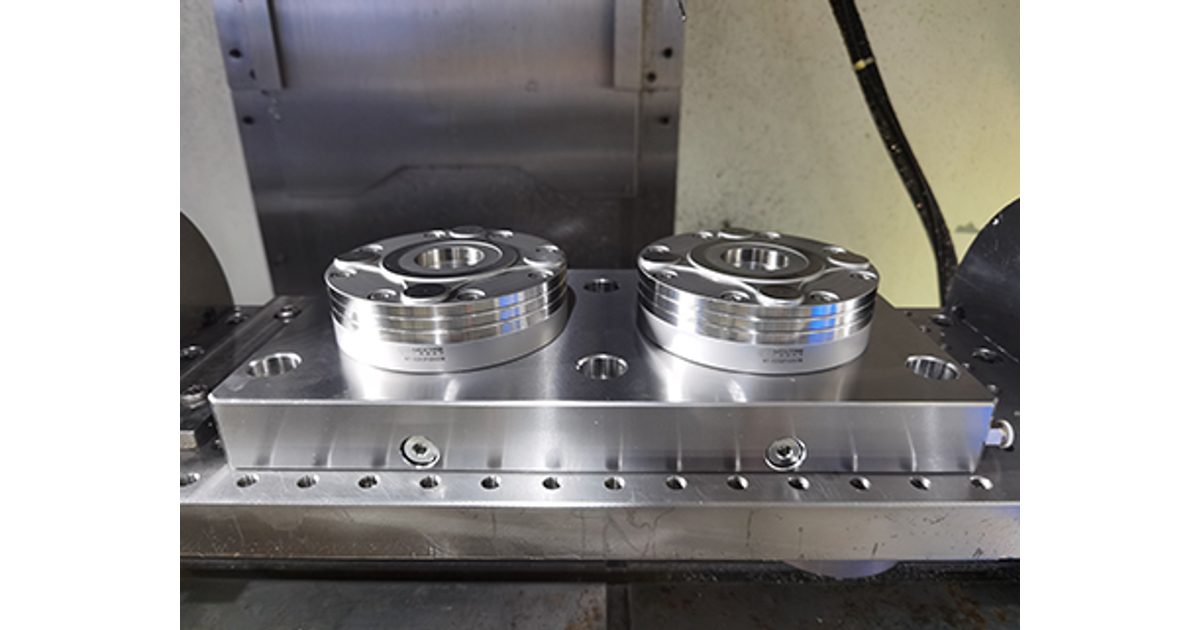
Do not copy a value from one family to another. Even models on one page can have different size, load and service data. A product image can show shape and ports. It cannot prove internal options, part revision or what comes in the box.
Build one interface drawing pack
The drawing pack should follow the load from the machine to the fixture. Begin with the machine table or rotary face. Show the hole pattern, slots, keys, permitted mounting zone and any adapter. Then add the receiver or plate, its fasteners, the mating parts, the upper pallet or fixture, and the workpiece.
Mark the locating datums and the surfaces that carry load. Show the pull-stud form, engagement direction and supplier part number. Add stack height, outside envelope, access for a hand tool, and the route for hoses or cables. If a carrier can be installed in more than one orientation, define the allowed orientation and how the operator can see it.
Pitch and diameter are useful dimensions, but they do not define the full interface. Two parts may share one spacing while using different datums, stud forms, heights, seals or fasteners. A similar photo proves even less. Require a drawing-level review and written approval of the named pairing.

Control revisions in the RFQ. Put the revision beside every machine, adapter, receiver, pallet and stud drawing. Ask the supplier to mark any assumption. A quote that says “to customer drawing” is not complete if the customer drawing has no revision or leaves the mating part undefined.
Size the system from load and support
Do not select a receiver only by its largest force number. The interface sees more than vertical mass. Cutting can push sideways or create a turning effect. A robot or rotary axis can add motion loads. A tall fixture moves the center of gravity away from the base. An overhanging plate can bend between support points even when the receivers remain locked.
Give the supplier total mass and a simple center-of-gravity location for the full moving stack. Show the main cutting forces and their direction. Add the machine's planned speed or motion case when the stack moves. Mark receiver count, spacing and support under the plate. The machine owner and process owner should approve these inputs. Use the receiver size and module-count guide to compare the 85, 120, 160 and 195 mm classes before the RFQ is frozen.
A force rating belongs to a named model under stated conditions. Ask what the published value means, which direction it covers and what mating parts were used. Ask for limits on moments, side loads and unsupported span when they affect the design. If the data are not published, keep the item as an engineering question rather than filling the gap with a family value.
Finished-part accuracy is a separate result. The interface is only one joint in the chain. Plate stiffness, fixture location, jaws, stock, tools, machine condition, temperature and inspection all affect the part. A receiver repeat test cannot replace a first-piece process test.
Turn the quote into an exact-model schedule
A clean model schedule lets purchasing, engineering and receiving read the same promise. Give each line a unique item number. Do not accept a family name where a model is needed.
| RFQ field | What to record | Why it matters |
|---|---|---|
| Receiver or plate | Model, revision, quantity and actuation | Stops data from another size or family entering the order. |
| Mating parts | Part numbers, stud role, quantity and drawing | Defines the actual joint instead of relying on pitch alone. |
| Mounting parts | Adapter, keys, screws, seals and support | Makes included and customer-supplied items clear. |
| Options | Lift, cleaning air, sensing or other quoted features | Prevents an optional feature from becoming an assumed feature. |
| Documents | Drawings, manual, service list and inspection record | Gives receiving and maintenance a defined package. |
Also state the quote boundary. List what NEXTAS supplies, what the machine builder supplies, what the integrator designs and what the plant verifies. This is vital for adapters, valves, sensors, hoses, fittings, control wiring and guards. A complete bill of materials is better than a broad “ready for automation” phrase.
Define air, signals and machine permissions
Powered release needs an approved pneumatic circuit. State the plant air range and quality at the point of use. Name the valve state for each action. Mark which ports release, lift, clean or serve another option on the exact model. Do not infer port duty from a photo.
A seat or lock signal must have a written meaning. State what device creates it, what true and false mean, and which failures can look the same. A pressure signal may only prove pressure in a line. It may not prove that every mating surface is clean or that the fixture is correctly loaded. Use the supplier's model data and the integrator's risk review to set the logic.
Write a state table. Include normal start, release request, load, seat check, lock confirmation, machining permission, signal loss, low air, timeout and recovery. Define which party owns each signal. The machine tool must not enter an automatic cycle merely because one input changed state.
Air cleaning can help remove loose chips when the named model and circuit support it. It is not a proof of a clean seat. The cell still needs a defined inspection and cleaning method. Never add debris for a fault test unless the supplier, machine owner and safety owner approve the method.
For a deeper control review, use the separate I/O and fault-state checklist. For cell-level air, seating, chip and safe recovery questions, see pneumatic zero-point plates for automated loading. Those articles do not replace the exact model manual.
Agree on acceptance before the order
Acceptance should start with documents. Check model labels, drawing revisions, included items, material or treatment records when promised, and the inspection record tied to the shipped hardware. Confirm that the mating parts and options match the approved bill of materials.
At incoming inspection, look for shipping damage and check the named dimensions that matter to mounting. Install the system by the current manual. Use the specified fasteners, sequence and service connections. Record the measuring device, reference, temperature and cleaning state. A number without a method is hard to repeat.
Plan a clean reseat test on the buyer's full stack. Remove and replace the real upper fixture by the normal method. Measure a stated feature from a stated reference. Use enough cycles to see handling variation, but set the count and pass limit from the part and process need. A supplier report can guide this plan; it cannot approve the buyer's machine, adapter and fixture.
If the cell is automated, test faults without creating a new hazard. The integrator should simulate approved signal loss, low air, timeout and rejected seating states. Confirm that motion is blocked as designed and that recovery requires the intended checks. Keep people outside the hazard zone and use the machine owner's safe setup procedure.

After the interface passes, cut a controlled first piece. Inspect the features affected by location and support. If the fixture will move between machines, repeat the approved transfer and inspect again. Record the result as plant evidence for this stack, not as a universal claim about every zero-point system.
Send an RFQ pack that closes the right unknowns
Send the machine table or rotary drawing, full stack drawing, pallet or fixture drawing, total mass, center of gravity, cut directions and loading method. Add the required model family only if it is already known. State whether the fixture moves by hand, hoist or robot. Include air and signal needs without assuming that an option is standard.
Ask the supplier to return a marked drawing pack, model schedule, bill of materials, option list and document list. Ask which values apply to each named model and what conditions were used. Ask for open points in writing. A clear exception list is safer than silent acceptance of an incomplete request.
Before purchase release, hold a short review with purchasing, manufacturing, maintenance and controls when needed. Read the same model schedule and acceptance plan. Confirm who owns the adapter, services, machine logic, guards, setup trial and final process approval.
Evidence boundary
NEXTAS can confirm quoted hardware and review supplied interface data. The machine owner, process owner and integrator must approve the machine stack, loads, motion, controls, guarding, inspection and safe recovery.
Zero-point system RFQ questions
Can I specify a zero-point system by receiver diameter alone?
No. The RFQ must name the receiver model and revision, mating part, mounting pattern, pull-stud geometry, actuation method and allowed options. Similar size or appearance does not prove fit.
Does 52 mm or 96 mm pitch prove compatibility?
No. A pitch value describes only one part of an interface. Confirm the exact drawings, datums, stud form, hole pattern, height, fasteners and supplier-approved mating parts.
Should I choose the model with the highest clamping force?
No. Start with total mass, center of gravity, cutting and motion loads, receiver spacing, plate support and the selected model's limits. A large force label does not fix a weak or unsupported stack.
What must an automated RFQ say about air and signals?
State the approved air circuit, pressure range, valve state, signal source, true and false conditions, machine permissions, fault response and safe recovery. Do not assume an optional feature is included.
What repeatability evidence should I request?
Ask for evidence tied to the exact model and mating parts. The report should state the method, load, cycles, cleaning state, temperature and measuring equipment. Then define an incoming test for your own stack.
What should be frozen before purchase release?
Freeze model numbers, drawing revisions, the interface and full stack, included parts, options, air and signal needs, document list, inspection method and acceptance limits.
Next step: request a marked model schedule
Send NEXTAS your RFQ pack and ask for the exact receiver, mating parts, included items and drawings. Keep every model-specific value tied to its source. Keep every plant result tied to the tested stack.