The quote says “zero point,” the drawing says “zero reference,” and the fixture note says “datum system.” Those are not three spellings of one part.
NEXTAS pages already split the words. A zero point is the quick-change joint that puts a fixture back on a prepared seat. A zero reference point is the physical place you name when you set or check position. A datum system is the locating set around that place. The selected drawing still beats this page.
A blank stays a blank.
If a box on the map is still empty, write unknown. “Standard zero point” is how a blank survives onto the purchase order.
A map you can scan
Use this when a drawing, a quote, and a shop-floor note each pick a different word. The order is a reading order. It is not a tolerance stack and not a claim that the three items share one number.
-
1 · Zero point
The quick-change joint: a receiver in your base, a manual plate, a pneumatic plate, or a matched base and carrier. Its job is to put the fixture back on a prepared seat. These forms do not share one interface, and none of them is the work offset stored in the control.
-
2 · Zero reference point
The place you name for a probe, an indicator, or an alignment: a pallet face, a locating pad, or one height shared by pockets cut in a single setup. Write the feature. Do not write the clamp in its place.
-
3 · Datum system
The hardware that brings that feature back: the faces you locate from, pull studs (the pins on the fixture that seat in the receiver), and a rotation stop when the drawing calls for one. BDS positioning datum is the compact pair: a body that stays and a pallet that moves. A stack of receivers is a different system.
Receivers and plates are different joints
On this site, “zero point” is a product family. It is not a coordinate the control already stores. The zero-point RFQ guide says the family covers several forms. A receiver module may be built into a base or machine table. A manual plate may use a hand tool to release its mating fixture. A pneumatic plate may use air for a defined action. A matched datum system may pair a base and carrier made for each other. These forms do not share one universal interface.
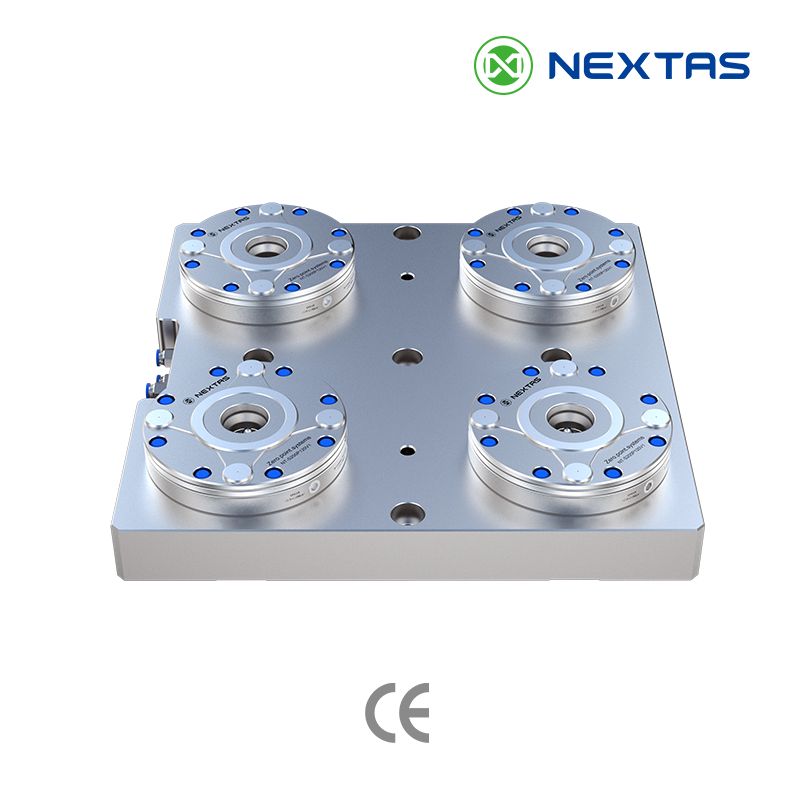
The picture beside the title shows four round receiver modules on one square base. That is one zero-point layout. It is not a manual plate, and it is not a BDS body. The zero-point clamping system page is the route when you machine a receiver into a subplate, tombstone, or fixture: one module, or a 2/4/6-station block. A finished plate you bolt down is the manual zero-point clamping plate. A plate the machine releases is the pneumatic zero-point plate. The smaller A024/B024 carrier is on the BDS positioning datum page. Treat that carrier as its own datum system, not as a nickname for the plate.
The manual plate page calls the plate the standardized machine interface for vises, pallets, and fixtures. It is mechanical. No air supply is required. The listed 52 mm and 96 mm families publish repeat positioning below 0.005 mm. The same page says the result you get also depends on the matched stud, mounting flatness, cleanliness, fixture stiffness, and the acceptance method on your machine.
Receiver modules use a different catalog figure. On that page, V1 and V2 are two receiver listings, not plate families. V1 repeatability is published below 0.003 mm. The V2 model sheet does not list repeatability, so that number stays on the drawing. Do not paste the V1 number onto a V2 module, and do not paste either number onto the manual plate’s below 0.005 mm figure. The repeatability article keeps a reseat at one interface separate from a finished part and from a move between machines.
Programmers also say “zero” for the work offset in the control. NEXTAS pages do not publish that offset as a property of the clamp. After the joint is seated, someone still sets or checks the offset on the machine. A catalog reseat figure is not that offset, and it is not a finished-part tolerance.
A probed face is not a clamp
The manual plate page uses “zero reference” in a comparison with T-slots. T-slot setups often require re-fixturing. The plate column describes a move to a coordinate measuring machine (CMM): “CNC → CMM on the same pallet/zero reference.” Read that as the workflow the plate is meant to support: leave the part on the pallet and move the pallet. The same page says payback is not a catalog figure. The system page’s multi-machine note says no measured transfer result is published with that layout. The label does not mean the CMM and the CNC already share one origin.
A second published use is the Z reference plane. When receiver pockets are machined into a base, the system page says to cut those pockets in one setup so the modules share the same Z reference plane. That plane is a manufacturing reference for the base. It does not, by itself, set the work offset or the part’s drawing datum. On one job the probed face and that Z plane can be different features. Name both if both matter. Do not assume the pocket plane is the face the inspector will use.
The plate standardization guide puts the shop word next to the engineering word. Mark the surface or point used as the location reference. Engineers often call that the datum: the known place from which the rest of the setup is measured. On a quote, “datum” still does not name the hardware. Say which face is the reference, then say which joint is supposed to bring it back.
Matched body and pallet
A datum, where these pages define it, is the reference used to locate and measure. A datum system is the hardware that puts that reference back: the faces you locate from, the pull-down direction, a rotation stop, and the mating parts. The system page asks for a fixture layout that shows receiver spacing and the datum scheme. One face on a drawing is not yet a system.
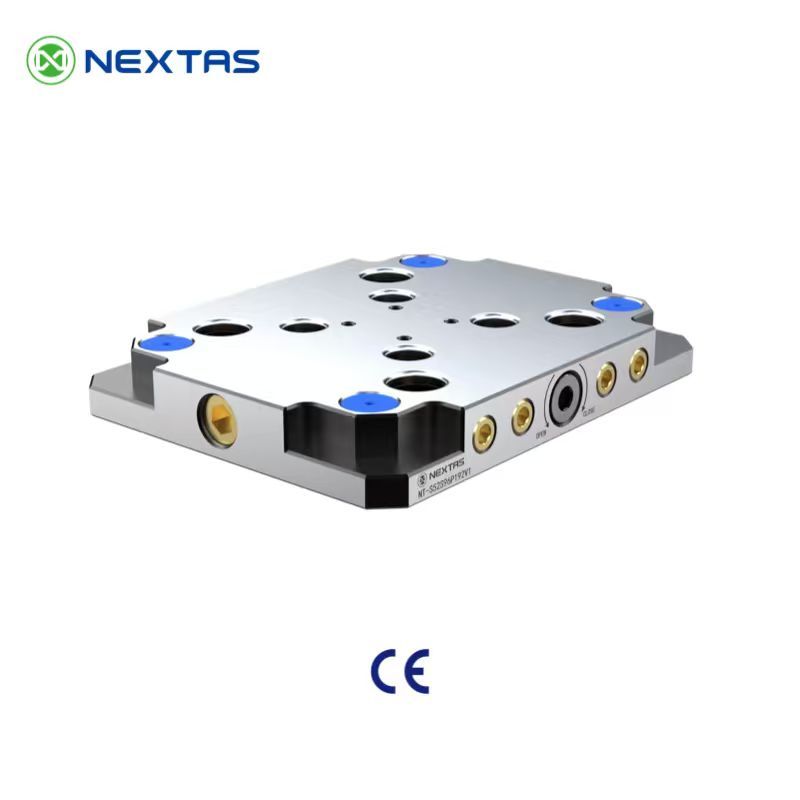
The selection guide’s matched form is a base and a carrier made for each other. That is the sense in which BDS is a datum system. The BDS page says the datum body is the clamping receiver mounted on the machine or fixture base. The datum pallet is the mating carrier for repeat transfer and automated handling. The body stays. The pallet moves. Keep the body and pallet in one family. The A024 versus B024 guide is the shortlist between those two BDS bodies. This page does not choose between them.

The BDS page lists repeatability below 0.003 mm and a clamping force of 60,000 N for A024 and B024 as selection references. Neither number is the cutting load your tool will apply, and the page does not treat either as a guarantee for every assembled system. The selected drawing and the agreed measurement conditions have to confirm the value that applies. Unlock air for those datum bodies is listed at 0.5–0.8 megapascals (MPa), and the page recommends clean, dry air. If a robot or the machine must release the body, write the shop’s air pressure beside that band. A manual plate publishes “no air supply.” A quote that needs this air band is not that plate. If the fixture is wide and the cut is heavy, leave BDS and open the receiver-size guide.
Each machine and each CMM has its own coordinate frame. A chuck, a receiver, or a BDS pair can give you physical reference features. They do not line those frames up by themselves. The wire-EDM to CMM article is about qualifying that kind of transfer on E-Series holders. Open it when the part moves between stations. It is not a second definition of the zero-point plate.
Which NEXTAS page to open
Open the page that owns the thing you are naming. Leave the other catalog numbers closed until the selected drawing says they belong in the order.
| You are naming | Open this page | Leave closed until the drawing says otherwise |
|---|---|---|
| A receiver you machine into your own base | Zero-point clamping systems | A finished-plate catalog number, or a BDS body code, as if it were that receiver |
| A finished manual plate with a 52 mm or 96 mm grid | Manual zero-point clamping plate | Pneumatic release, and the V1 receiver’s below 0.003 mm figure |
| Air release for a machine or a robot load | Pneumatic zero-point plate | The manual plate’s “no air supply” statement |
| A compact body that stays put and a pallet that moves | BDS positioning datum | An A024 pallet on a B024 body, or a large multi-receiver plate |

Pull studs are the pins on that joint. They are not the program zero. The system page treats the stud as the precision interface between the fixture and the receiver, and it separates standard, compact, and anti-rotation styles by clearance and by what the datum needs. The role map below labels three further jobs on the studs themselves. Positioning restricts movement in X and Y. Compensating restricts rotation and sets a direction. Clamping adds the pull-down. Do not buy one style for every hole. Copy the mix on the module drawing. Stocking replacements is a different job; that list lives on the spare-parts guide.

A correct plate can still be the wrong joint
This is a planning example, not a customer installation and not a NEXTAS time study. A planner writes “zero-point datum” on a pallet the robot is supposed to drop onto a compact body. Purchasing orders a manual 96 mm plate because the previous job used one. The plate can be a correct product and still be the wrong joint. The robot program is waiting on the body-and-pallet pair, and the cell waits between “it arrived” and “it seats.”
Fields the quote still needs
Fill the blanks the map left open. NEXTAS can say which page and which drawing to open. A mixed noun does not become a model on this page.
- Zero point: receiver in your base, manual plate, pneumatic plate, or not chosen yet. Add the machine table or tombstone if you have the drawing.
- Zero reference point: the face, pad, bore, or plane someone will probe or align to. If a CMM is in the route, say so. Do not write “same zero” unless a measured transfer already exists.
- Datum system: the locating set. For BDS, name the body and pallet as a pair. For a receiver stack, name the stud style and whether rotation has to be locked. Write unknown where the drawing is open.
If the upper tool is still a vise, a dovetail, or another fixture, say that in the same note. The workholding architecture guide is where that choice is made. This page only keeps the three locating words from being bought as one part.
Questions that stop a mixed order
Where do I enter the work zero after the clamp is seated?
On the feature you named as the zero reference, after the joint is seated. Do not type a catalog reseat number into the control. NEXTAS pages do not publish the work offset as a clamp specification.
What evidence shows the measuring machine matches the CNC?
An alignment record between those two stations. Ask the person who owns the coordinate measuring machine (CMM) for it. A pallet label that says “same zero reference” is the plate workflow, not that record.
The pallet drawing says A024 or B024. Can I order a 96 mm plate?
No. Order the matching BDS body with that pallet. A 52 mm or 96 mm code is the bolt-down plate, and an A024 pallet does not seat on a B024 body.
Someone wrote “below 0.003 mm” with no model name. What do I do with it?
Send it back. That bare line can be the V1 receiver listing or the BDS selection reference, and those are not the same acceptance. Put the model code in the same cell as the number, then agree how you will check it.
If the drawing only says “datum,” which lines are still open?
Both the joint and the feature. “Datum” does not name a face, pad, bore, or plane, and it does not name a receiver, a plate, or a BDS pair. Leave both lines unknown until the drawing shows them.
Before a model number
Attach the machine-table drawing
The table drawing shows whether the quote lines fit the machine. Send it with the quote.
Send the table drawing